Read every formula
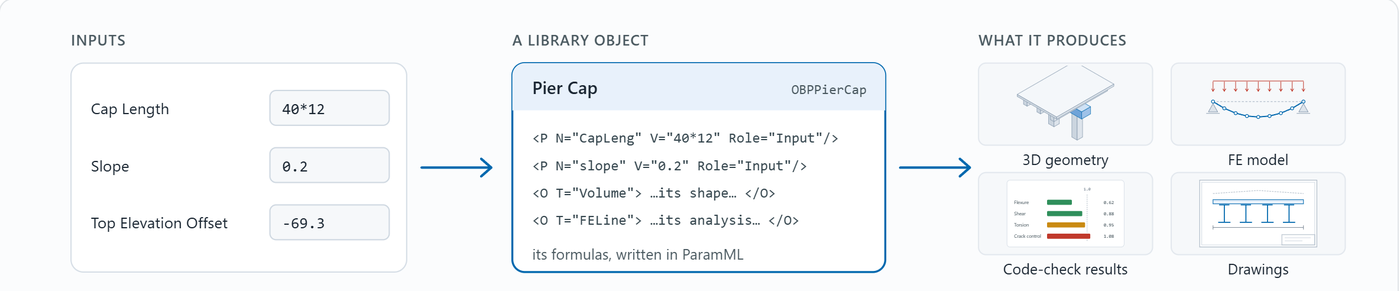
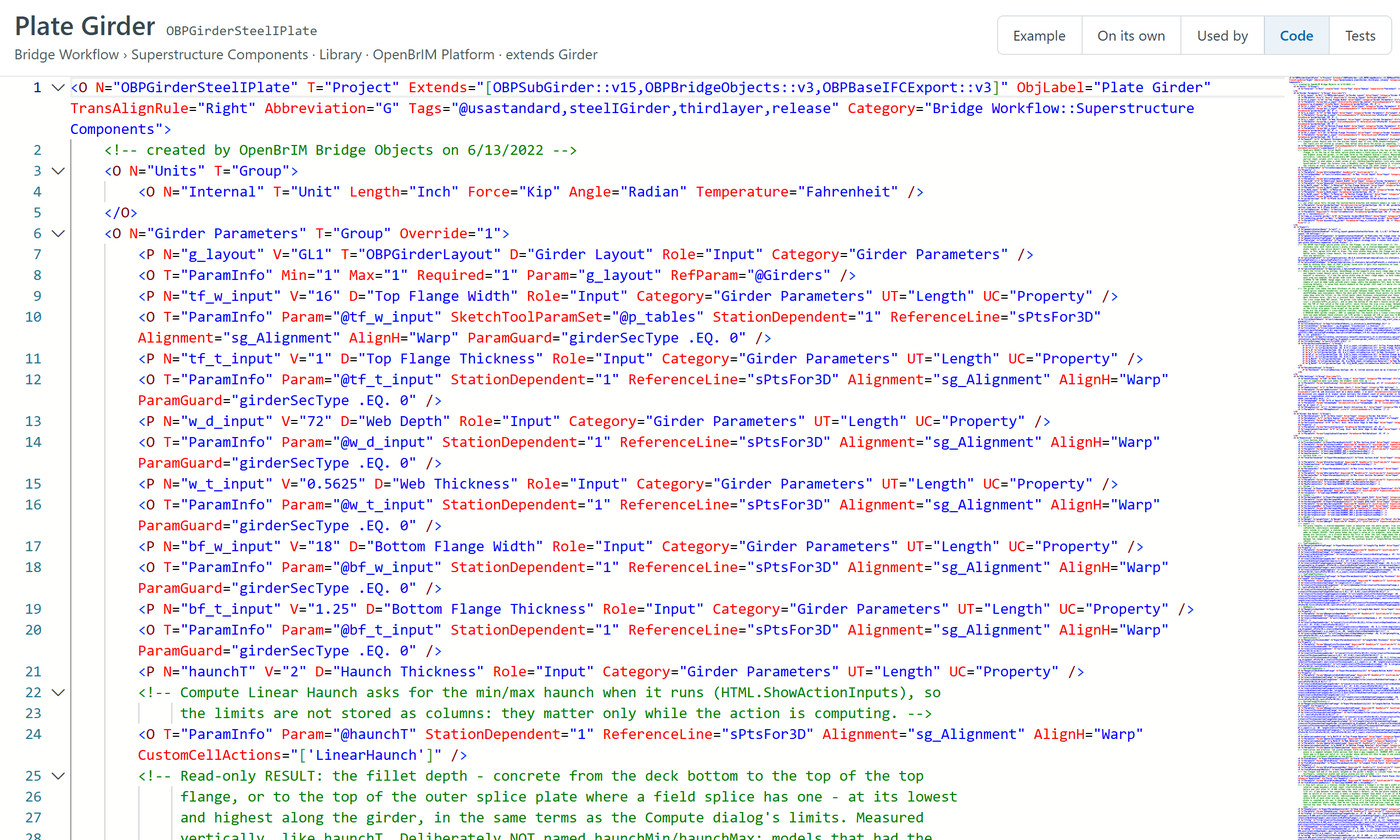
Objects are written in ParamML, an open language for parametric engineering data, evaluated by an engine built for millions of expressions and their dependencies. Open any object and read how it works.
- Inputs with their units and descriptions.
- Formulas that depend on other parameters.
- Geometry, analysis model and checks in the same object.
More than geometry
ParamML describes engineering information of every kind: 3D geometry, structural data, documents, rules and regulations, databases, modeling templates and workflows.
Objects build on each other: the Plate Girder extends the Girder and takes on its parameters.
An open, documented language. Objects are plain text anyone can read.
Write modeling objects, analysis models, design codes, drawings, databases and workflows.
The library, and your own incubator
Every author has an incubator of their own objects. The library holds the objects that have been reviewed and tested for everyone.
Published objects for bridges and other structures, reviewed by the library team and tested before each release.
- Shared across projects, so a fix reaches every project that uses the object.
- Each object with an example model and its tests.
Your own objects, in your workspace, under your name. Build on the whole library.
- Nothing to install: write and run objects in the browser.
- Objects you save work in your projects right away.
- Work on them together, in real time.
YouAdd a skew input to the Pier Cap, try it on the bridge I have open, and send it to the library team.
lib_guideReads the library's authoring guide.lib_startStarts the branch pier-cap-skew and checks the Pier Cap out to a working folder.lib_editWrites the new input and its formulas in ParamML. XML that does not parse is refused.lib_checkReloads your open bridge with the new copy, compiles it and reads back the computed values.lib_sharePuts the copy on the branch, where colleagues can open and test it.lib_reviewOpens the pull request, then reads the library team's comments and answers them.
An example request. Each step is one of OpenBrIM Desktop's library tools.
Write objects with Claude or Codex
Describe the object in plain words. Your AI agent writes the ParamML, tries it on your model and sends it for review, through OpenBrIM Desktop.
- 1Install OpenBrIM DesktopIt runs on your computer, signed in to your OpenBrIM account. Download for Windows
- 2Connect your AI appAgent → Connect your AI agent: one click for Claude Desktop and Codex, one command for Claude Code.
- 3Ask, then reviewWatch each change in your model. Nothing reaches the library until the library team merges it.
- XML that does not parse is never written.
- A removed saved input needs a migration, or a stated reason, before it can be shared.
- Publishing stays with the library team.
Build your own, and improve the library
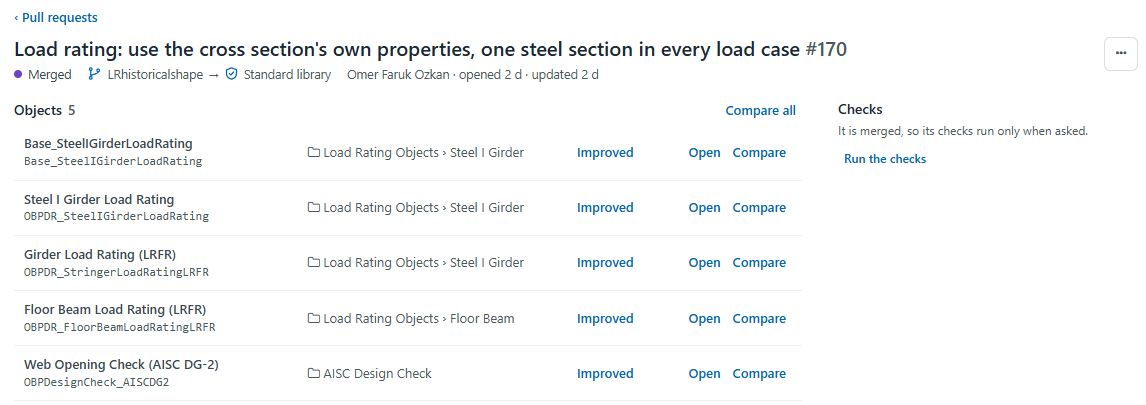
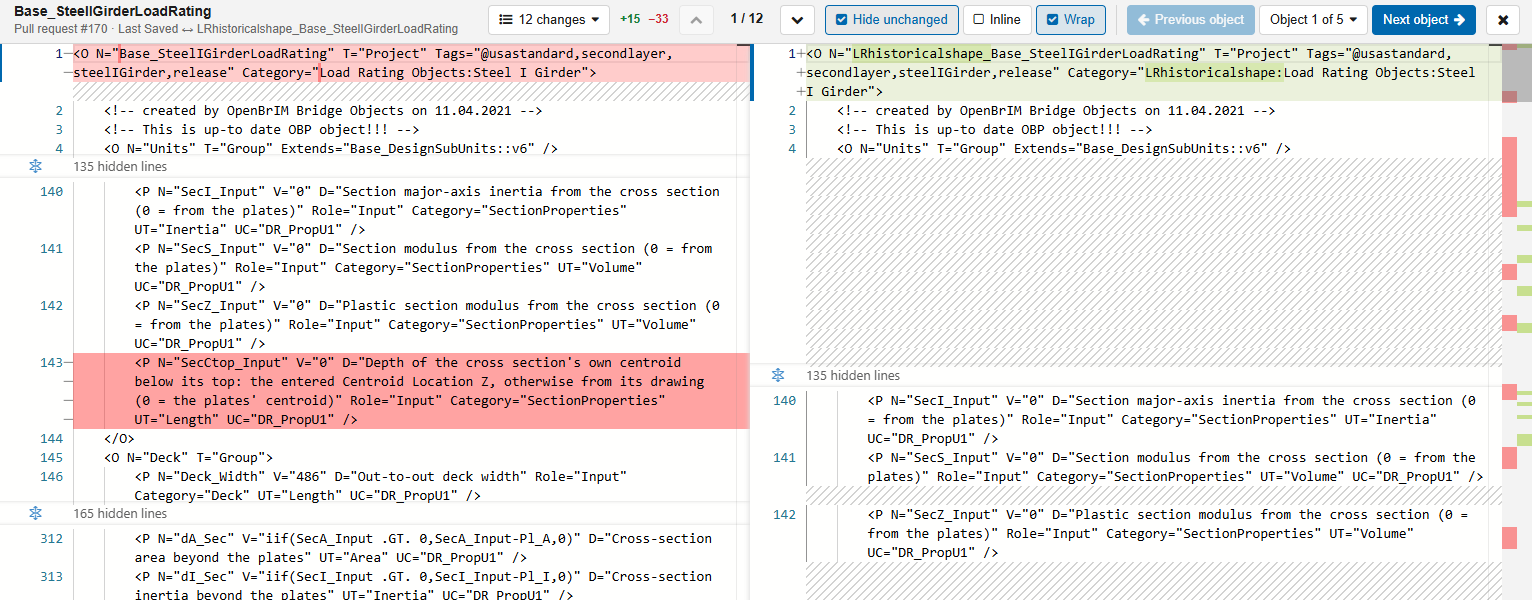
Start a branch, add new objects or copies to improve, and write them yourself or with Claude or Codex. See them in a model and run their tests, then open a pull request for the library team to review.
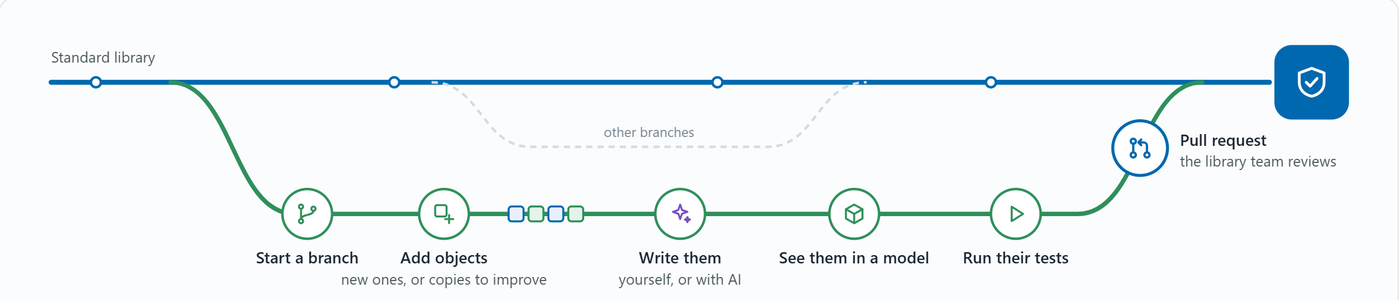
Objects you write stay in your workspace until you choose to share them.
See an object in a bridge model, with its inputs, before anyone else uses it.
Each object reaches the verification tests that use it. OpenBrIM.Verify
Start with the library
Open an object and its example, or talk to us about objects for your standards.